Building a high-performing website isn’t just about design or content: the choice of CMS (Content Management System) plays a decisive role in the success of a digital project. The question quickly arises for businesses, entrepreneurs, and project owners: should you go with an out-of-the-box CMS or a custom CMS? And above all, what is the real difference between the two?
On one side, standard CMS platforms are appealing for their quick setup, often lower cost, and broad ecosystem. On the other, custom CMS solutions promise total flexibility, optimized performance, and a perfect fit for a project’s specific needs. Yet these two approaches follow very different logic, both technically and strategically.
Understanding the difference between a CMS and a custom CMS is essential to avoid costly mistakes in the medium or long term, particularly regarding SEO, scalability, security, and site evolution. In this article, we will clarify these concepts, compare their advantages and limitations, and help you determine which solution is best suited to your web project.
What Is a CMS and What Role Does It Play in Building a Website?
A CMS (Content Management System), or content management system, is software that allows you to create, manage, and evolve a website without having to work directly in the source code. It is today the most widespread solution for building websites, regardless of their size or purpose. Blogs, showcase sites, institutional platforms, and online stores are predominantly built on a CMS, as this tool has transformed the way the web is built.

Its primary role is to simplify website creation while providing a structured and scalable framework. With a CMS, managing a website becomes more accessible, faster, and more reliable over the long term.
A Central Tool for Building a Website Without Technical Complexity
One of the major contributions of a CMS is that it allows you to build a website without advanced development skills. Where a traditional website requires mastery of languages such as HTML, CSS, or JavaScript, a CMS relies on an intuitive administration interface, often accessible from a browser.
This interface allows you to create pages, write text, insert images, or modify the site structure visually. The user doesn’t need to understand how the server or database works technically: the CMS handles translating actions into computer instructions. It is this technical abstraction that has made website creation accessible to a wide audience.
A Clear Separation Between Content and Structure
A CMS operates on a fundamental principle: the separation between content and structure. Content refers to the texts, images, videos, or articles published on the site. Structure, on the other hand, concerns the organization of pages, their display, and the overall design.
This separation makes it possible to modify content without affecting the site’s appearance, and vice versa. It thus becomes possible to change a text, add a page, or update an image without risking disrupting the entire site. This is a major advantage for the maintenance and evolution of a web project.
Simplified and Centralized Site Management
The CMS also serves as a central dashboard for managing the entire site. From a single space, the administrator can manage pages, organize menus, categorize content, and configure general settings.
This centralization simplifies day-to-day site management. All actions are grouped in one place, avoiding complex or scattered operations. For a site that evolves regularly, this organization is essential to maintain overall consistency.
A CMS Designed for Collaborative Work
Another key role of a CMS is enabling multiple people to work on the same site. It is possible to create different user accounts with specific permissions. Some can write content, others can review or publish it, while an administrator retains overall control.
This role management is particularly useful in companies, media organizations, or community projects where multiple contributors participate in the life of the site. The CMS then becomes a structured collaborative tool, preventing errors and editing conflicts.
A Scalable Foundation for Growing a Site
A CMS is not static: it serves as a scalable foundation for a website. It can be enriched over time with additional features, modules, or extensions. This allows new options to be progressively added without having to rebuild the site.
This is why solutions like WordPress, Drupal, or Joomla are used for both small sites and complex platforms. The CMS adapts to the project’s growth and new requirements.
A Tool Built to Last Over Time
Finally, a CMS serves to ensure the longevity of a website. By standardizing the way content is created and managed, it makes the site easier to maintain over the long term. Even in the event of a change in provider or team, the structure remains understandable and usable.
The CMS thus provides organizational security: the site does not depend on a single person or obscure code. It is built on a clear, documented, and widely adopted logic.
In summary, a CMS is an essential tool in building a modern website. It simplifies content management, structures information, facilitates collaborative work, and provides a solid foundation for evolving a site over time, without unnecessary complexity.
What Is a Custom CMS?
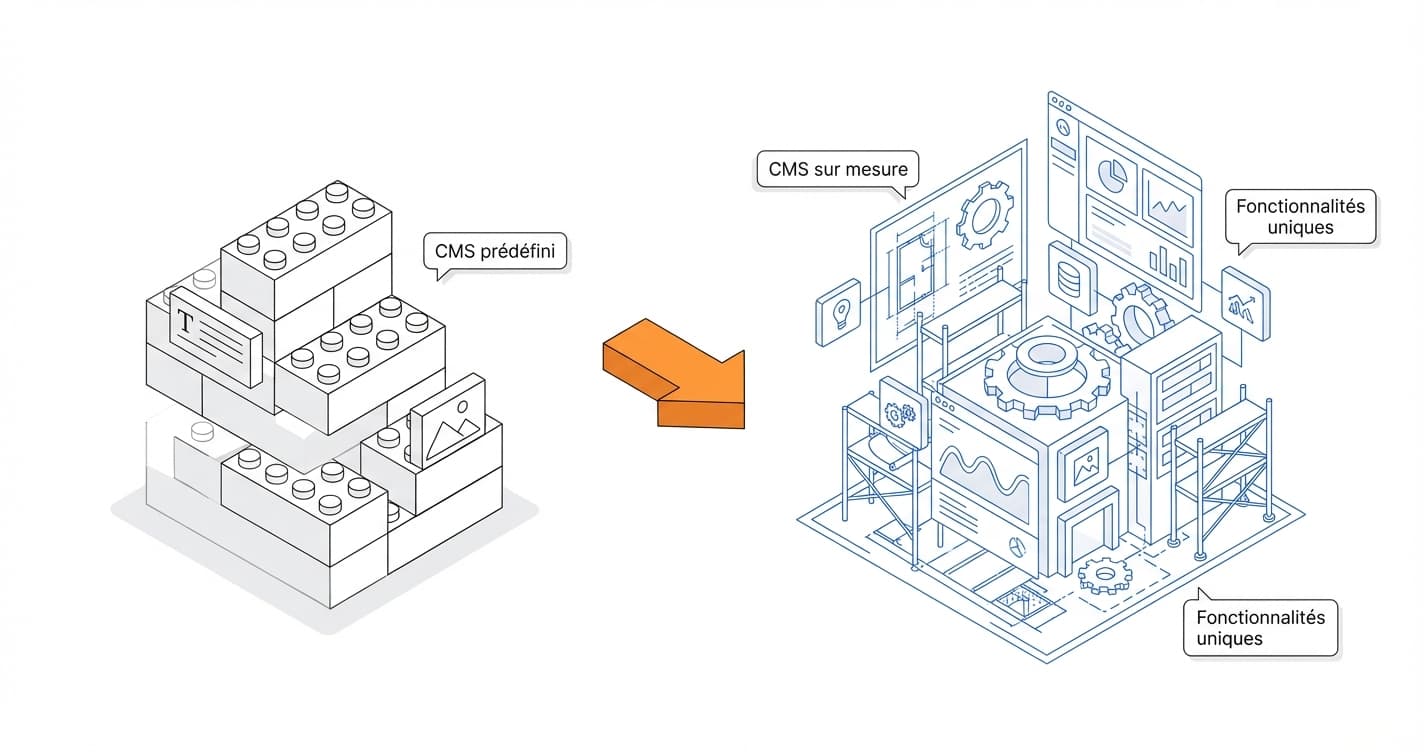
A custom CMS is a content management system developed specifically for a particular project. Unlike ready-to-use standard CMS platforms, it is not based on a generic structure designed to suit the widest possible audience. It is built from the actual needs of the site, its objectives, its internal workings, and its technical constraints. In other words, a custom CMS does not impose a framework: it adapts entirely to the project.
This type of CMS is generally developed by a web development agency or a technical team that builds the management tool alongside the site itself. It then becomes a unique solution, designed to address specific, sometimes complex use cases that are impossible or inefficient to handle with a standard CMS.
A CMS Designed Specifically for a Unique Project
The main characteristic of a custom CMS is that it is built from scratch, or nearly so. Every feature is thought through in advance: content types, publication logic, page organization, user management, internal workflows, and so on. Nothing is superfluous, nothing is imposed by default.
The administration interface is also customized. Unlike generic CMS platforms that offer many options that are sometimes unnecessary, a custom CMS provides a streamlined interface, focused solely on the actions that are actually needed. This improves usability, reduces errors, and makes the tool more comfortable to use on a daily basis.
A Response to Complex or Specific Needs
A custom CMS is particularly well suited to projects that fall outside standard patterns. This includes platforms with complex business rules, advanced internal management systems, connections to specific third-party tools, or very particular content logic.
In these cases, using a standard CMS often requires multiplying extensions, repurposing existing features, or working around structural limitations. A custom CMS, on the other hand, is designed from the outset to incorporate these constraints. It then becomes a tool perfectly aligned with the reality of the project, rather than a patched-together solution.
Total Control Over Structure and Functionality
With a custom CMS, everything is under control: technical architecture, data logic, internal workings, and future evolution. The developer knows every line of the system, which allows for a better overall understanding of the site.
This control provides great freedom. It is possible to evolve the CMS without depending on imposed updates, external compatibility requirements, or changes decided by a third-party community. The site evolves at the project’s own pace, according to its own priorities.
An Administration Interface Designed for the End User
One of the great advantages of a custom CMS lies in its ergonomics. The tool is designed for its actual users: internal teams, editors, administrators, or managers. Every action is simplified, every screen has a precise purpose.
There are no unnecessary features, no complex menus, or obscure options. The CMS becomes a true work tool, intuitive and efficient, that saves time on a daily basis. This approach is particularly appreciated in companies where multiple collaborators work on the site.
A More Secure CMS by Nature
A custom CMS generally benefits from a smaller attack surface. Since it is not widely distributed and does not rely on well-known public extensions, it attracts fewer automated attacks.
Furthermore, security can be built in from the design stage: fine-grained access management, specific authentication logic, sensitive data protection, and targeted preventive measures. The CMS is built to the exact requirements of the project, without depending on unnecessary components.
A Higher Investment, but a Strategic One
It is important to note that a custom CMS represents a higher investment than a standard CMS. The time required for design, development, and maintenance is greater, since everything is built specifically.
However, this investment is often strategic for high-value projects. Over the long term, a custom CMS can prove more cost-effective, as it avoids technical limitations, repeated redesigns, or heavy dependencies on external solutions.
A Tool Designed to Last and Evolve
Finally, a custom CMS is designed to support the project’s growth. It can evolve progressively, integrate new features, or adapt to new use cases without disrupting what already exists. It becomes a solid and durable foundation, perfectly aligned with the site’s vision.
In summary, a custom CMS is a personalized, controlled, and scalable solution, designed to meet specific needs. It is primarily aimed at demanding projects where flexibility, performance, and functional fit take precedence over speed of deployment.