SaaS (Software as a Service) is now at the heart of the digital transformation of businesses and digital practices. Whether it’s managing a website, running a project, storing data or automating tasks, this software model has established itself as a modern alternative to traditional software installed on a computer or local server.
Accessible directly via a web browser, SaaS is transforming the way IT tools are designed, deployed and used. It removes many technical constraints, simplifies access to features and enables immediate use, with no complex installation or heavy maintenance. This approach appeals to freelancers and large enterprises alike, thanks to its flexibility and subscription-based business model.
But behind this widely used term lies a reality that is essential to understand clearly. What exactly is SaaS? How does it work, and why has it become indispensable in the digital world? In this article, we lay the groundwork for a clear understanding of what SaaS is, its role, how it works and its real-world applications.
Defining SaaS: what does Software as a Service mean?
SaaS, an acronym for Software as a Service, literally means software delivered as a service. This term refers to a software distribution model in which the user no longer purchases a program to install on their computer or internal server, but instead accesses an application directly via the internet, most often through a web browser. The software is therefore no longer a fixed product, but an on-demand service.
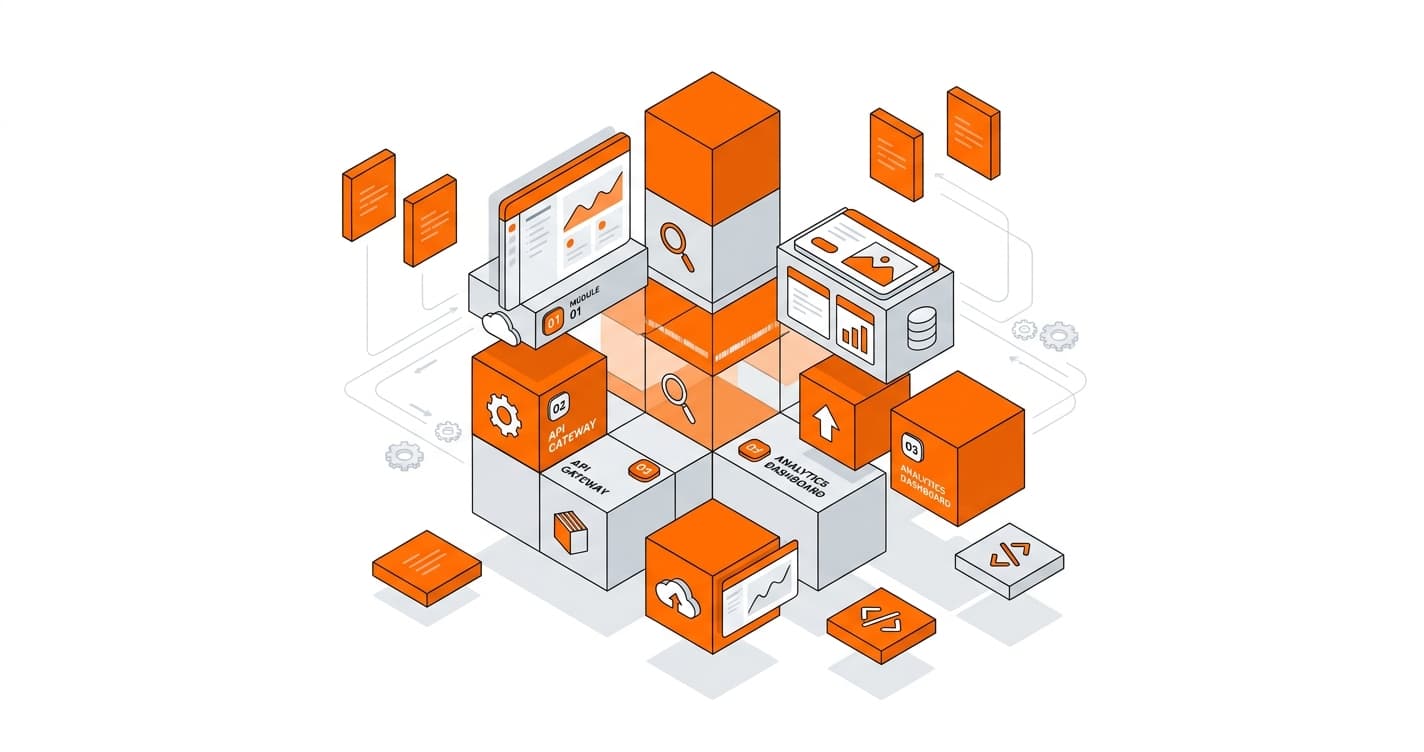
Illustration showing what SaaS is used for
This model has profoundly transformed the way digital tools are designed, used and commercialized. It is not merely a technical evolution, but a shift in logic in the relationship between the software publisher and its users.
What exactly does Software as a Service cover?
In the SaaS model, the software is hosted on remote servers, managed by the publisher or a cloud infrastructure provider. The user does not need to worry about installation, technical configuration, updates or maintenance. Everything is handled on the provider’s side.
In practice, this means the software is accessible:
from any internet-connected device,
without complex downloads,
with simple authentication (username and password).
SaaS therefore operates on a logic of access rather than ownership. The user does not own the software: they access it for as long as the service is active.
A model based on subscription and usage
Software as a Service is generally offered through a subscription system. The user pays a monthly or annual fee to use the software, often with different levels of features depending on the chosen plan.
This mode of operation provides great flexibility. It is possible to scale usage up or down based on actual needs, without having to repurchase a full license. Costs are thus spread out over time, making SaaS accessible to freelancers and large organizations alike.
This subscription logic also reinforces the notion of a continuous service: the provider has every incentive to maintain a stable, high-performing and regularly improved application, since the relationship with the user is built to last.
SaaS and traditional software: a break in the model
Before the rise of SaaS, software operated primarily on what is known as an on-premise model. It had to be installed locally, updated manually and often hosted on internal servers. This approach involved high costs, strong technical dependency and significant maintenance constraints.
SaaS breaks with this logic. The software becomes centralized, remotely accessible and continuously updated. Users automatically benefit from new features and patches, with no technical intervention required on their part. This centralization also ensures greater consistency across users of the same tool.
Simplified and universal access
One of the pillars of SaaS is its universal accessibility. As long as an internet connection is available, the software can be used. This supports remote work, real-time collaboration and mobility.
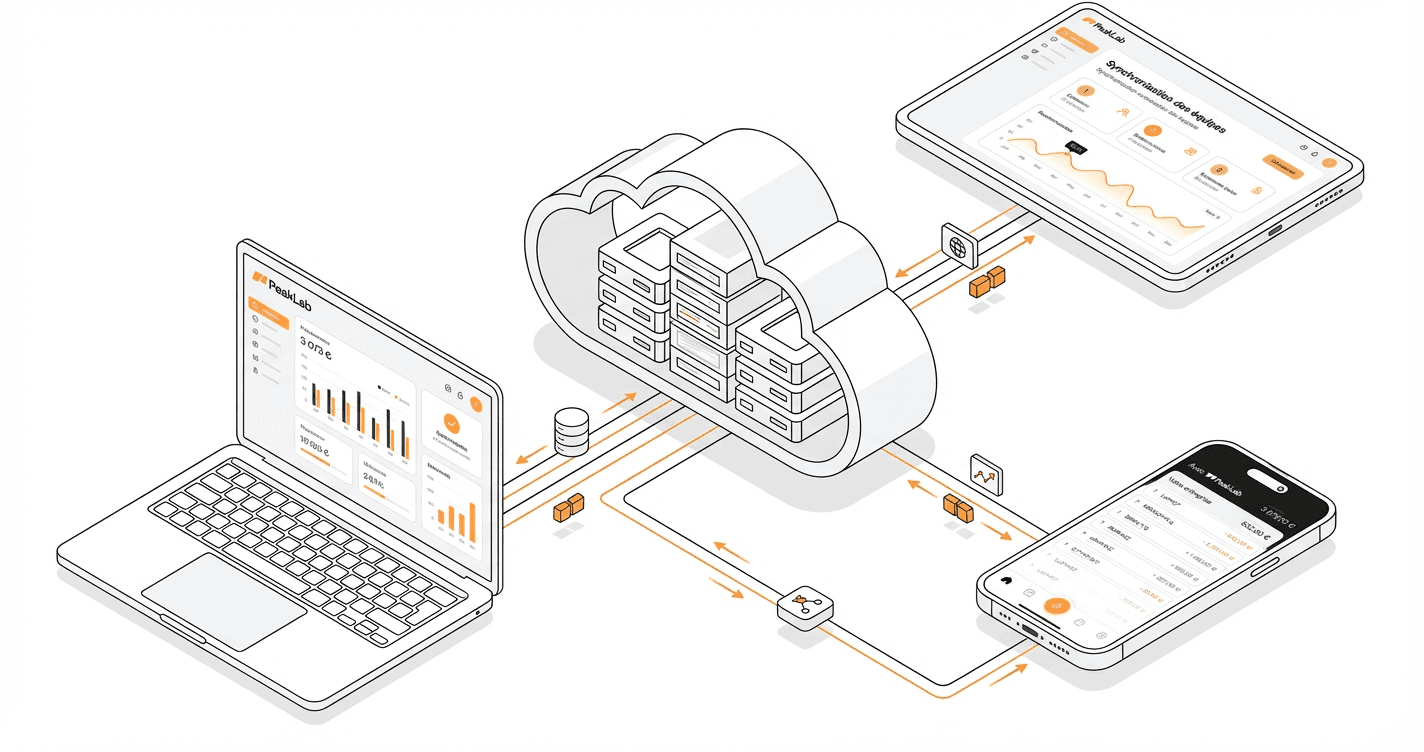
Data is stored in the cloud and automatically synchronized. A user can start a task on a computer, continue it on a tablet and finish it on another device, with no loss of information. This continuity of use has become essential in modern work environments.
A service-oriented model rather than a product-oriented one
The term Software as a Service places emphasis on the notion of service. The software is no longer delivered once and for all: it is accompanied, monitored, improved and supported on an ongoing basis. This implies a closer relationship between the publisher and its users.
The provider is responsible for service availability, security, performance and evolution. In return, the user benefits from a tool that is always operational, without having to manage the associated technical constraints.
How does a SaaS application actually work?
A SaaS application operates according to a seemingly simple logic, but relies on a precise technical and organizational architecture. Unlike traditional software installed locally, SaaS is hosted remotely and accessed via the internet. The user never interacts directly with the technical infrastructure: they consume a ready-to-use service, available continuously.
The operation of a SaaS application begins with its hosting on remote servers, most often in a cloud environment. These servers belong to the software publisher or a specialized infrastructure provider. The entire application, databases and security systems are centralized in this environment. The user, for their part, only needs a web browser and an internet connection to access the service.
Access to a SaaS application is generally provided through a secure user account. Once registered, the user logs in with a username and password. This authentication makes it possible to:
secure access to data
personalize the experience based on the user’s profile
manage rights and permissions
retrieve information from any device
Once logged in, the user accesses the software interface, which actually runs on remote servers. Actions performed (creating content, entering data, making edits, deleting items) are sent to the server, processed, and then returned as on-screen output. Everything happens in real time, with no local installation.
Data storage is a central element of how SaaS works. All information generated by users is saved in databases hosted in the cloud. This enables:
automatic data backup
continuous synchronization
access to information from different devices
reduced risk of local data loss
This centralization also makes collaborative work possible. Multiple users can access the same application, and sometimes the same data, simultaneously. Updates are visible instantly, which supports remote collaboration and continuity of work.
Another fundamental aspect of how a SaaS application works is update management. Unlike traditional software, the user has no action to take. Updates are deployed directly to the servers, transparently. This includes:
new features
performance improvements
security patches
technical adjustments
All users thus benefit from the same version of the software, with no delay or manual intervention. This uniformity ensures a consistent experience and reduces compatibility issues.
The SaaS model also relies on centralized security management. The publisher is responsible for data protection, service availability and infrastructure reliability. This includes:
data encryption
access and permission management
server monitoring
prevention of technical incidents
For the user, this translates into simplified usage, without having to manage complex technical issues.
The economic workings of SaaS are closely tied to its technical operation. The software is offered as a subscription, typically monthly or annual. This subscription may vary based on:
the number of users
data volume
accessible features
the level of support
This logic allows for great flexibility. The user can adjust their subscription based on actual needs, without heavy hardware or software investment.
To better understand how a SaaS application works overall, here is a summary table:
Element
How it works in SaaS
Hosting
Remote servers (cloud)
Access
Web browser via the internet
Installation
No local installation required
Data
Stored and backed up remotely
Updates
Automatic and centralized
Security
Managed by the publisher
Usage
On demand, via subscription
Finally, SaaS operates according to a logic of continuous service. The publisher’s goal is not to sell a fixed version, but to maintain a high-performing solution over time. This implies constant improvement, listening to users and adapting to new usage patterns.
In summary, a SaaS application works through a centralized infrastructure, internet-based access, automated update and data management, and a subscription-based model. This organization enables smooth, scalable and accessible usage, with no technical constraints for the end user.
Free tool
AI Specifications Generator
Create professional project specifications in minutes with our AI-powered tool.
What are the advantages and limitations of the SaaS model?
The advantages of the SaaS model
The SaaS model has established itself in the digital landscape thanks to its ability to meet the evolving needs of businesses and users. Its first major advantage lies in its ease of access. A SaaS application can be used directly via a web browser, with no complex installation or technical configuration. This accessibility enables quick onboarding, even for non-technical profiles.
SaaS also offers great flexibility of use. Users can connect from any internet-connected device: computer, tablet or smartphone. This freedom supports remote work, mobility and business continuity, particularly in increasingly decentralized professional environments.
Another key advantage is automated update management. Software changes — whether new features, bug fixes or performance improvements — are deployed automatically by the publisher. Users always benefit from an up-to-date version, with no downtime or technical intervention required. This ensures a stable and consistent experience for everyone.
The SaaS model also enables a reduction in upfront costs. Unlike traditional software requiring the purchase of licenses and sometimes servers, SaaS operates on a subscription system. This spread-out payment model makes tools more accessible, particularly for freelancers, startups and SMEs. It also simplifies budget management, since costs are predictable.
Scalability is another strength of SaaS. It is possible to increase or decrease service usage based on needs: adding users, activating new features or adjusting storage capacity. This flexibility allows the software to grow alongside the project, without heavy technical overhaul.
Finally, SaaS centralizes technical management and security. The publisher is responsible for hosting, data backup and protection against incidents. For the user, this represents a significant time saving and a reduction in IT administration constraints.
The limitations of the SaaS model
Despite its many advantages, the SaaS model also has limitations that are important to consider. The first concerns dependency on an internet connection. Without network access, using the software becomes impossible or severely limited. This constraint can be problematic in certain professional or geographic contexts.
SaaS also implies vendor dependency. The user entrusts their data, their work tool and sometimes critical processes to an external publisher. In the event of an outage, a change in commercial policy or a service shutdown, the impact can be significant. This dependency requires a relationship of trust and a thorough evaluation of the provider.
The question of customization represents another limitation. SaaS applications are often designed to meet standard needs. When use cases become highly specific, certain features may be missing or difficult to adapt. The user must then adapt to the tool, rather than the other way around.
Long-term cost can also be a drawback. While the monthly or annual subscription may seem attractive at first, the accumulation of payments over time can represent a significant investment. For very long or intensive use, SaaS can sometimes end up costing more than a proprietary solution.
Data management also raises questions. Since information is stored on remote servers, the user does not have full control over it. Issues related to confidentiality, data location or regulatory compliance may arise, particularly in certain sensitive sectors.
Finally, SaaS sometimes limits technical control. The user controls neither the infrastructure, nor the pace of changes, nor certain functional decisions. Changes imposed by the publisher can alter the tool without the user having the ability to refuse or defer them.
In summary, the SaaS model offers a modern, flexible and accessible solution, perfectly suited to current digital practices. It simplifies access to software, reduces technical constraints and supports scalability. However, it implies vendor dependency, a permanent internet connection and sometimes limited customization. The choice of a SaaS solution must therefore be made with careful consideration of actual needs, long-term implications and the desired level of control over the tool and its data.
Custom SaaS or installed solution: which approach should you choose?
Choosing between a custom SaaS and an installed solution (on-premise) is a structural decision that has a lasting impact on the management, scalability and control of a digital project. These two approaches follow very different logics, and the right choice depends above all on objectives, technical constraints, budget and long-term vision.
An installed solution is based on software hosted locally, typically on internal or dedicated servers. It requires a full installation, precise technical configuration and ongoing maintenance handled by the company or its service provider. A custom SaaS, on the other hand, combines two dimensions: the complete personalization of a tool developed specifically for a project, and the flexibility of the SaaS model, with online access, centralized updates and on-demand usage.
A custom SaaS is particularly well suited to projects that require a high degree of personalization while retaining great flexibility of use. It makes it possible to design an application perfectly aligned with business processes, without superfluous features. The tool is accessible via the internet, which facilitates collaborative work, mobility and the progressive evolution of the project. This approach is ideal when the tool is at the core of the business and needs to evolve regularly without installation or compatibility constraints.
Among the strengths of a custom SaaS:
A solution designed exclusively for the project’s needs
Simple and universal online access
Centralized and continuous updates
Rapid capacity to evolve based on usage
A user experience optimized for the teams
However, this approach implies dependency on the provider’s infrastructure and a higher initial cost linked to custom development. It also requires a lasting relationship of trust with the provider responsible for hosting and maintenance.
The installed solution, for its part, is often preferred in contexts where total control of the technical environment is a key issue. It allows complete control over servers, data and information flows. This type of solution is frequently used in sensitive or heavily regulated sectors, where data location and internal security are top priorities.
The advantages of an installed solution include:
Complete control over the infrastructure
Independence from an external provider
Deep technical customization
Better suitability for closed or isolated environments
On the other hand, this approach also has significant limitations. It involves high installation costs, ongoing maintenance, manual updates and strong dependency on internal technical teams. Software evolution can be slower, and remote collaboration more complex to implement.
The choice between a custom SaaS and an installed solution therefore depends on several key criteria. It is essential to analyze:
The level of functional customization required
Whether or not permanent remote access is needed
The security and compliance constraints
The technical resources available internally
The capacity to evolve the tool over time
For a project focused on growth, collaboration and scalability, a custom SaaS often emerges as the most coherent solution. It allows for the rapid launch of a perfectly tailored tool, while retaining great flexibility for future evolution. Conversely, for organizations primarily seeking technical sovereignty and long-term stability, an installed solution may remain relevant, despite its constraints.
It is also important to note that there is no universal choice. Some projects transition from an installed solution to a custom SaaS as they grow, while others opt for a local infrastructure from the outset for strategic reasons.
In summary, a custom SaaS is a modern, flexible and usage-driven approach, ideal for evolving, business-critical projects. An installed solution, more rigid but fully controlled, is better suited to environments requiring absolute control. The right choice rests on a precise analysis of current needs, but above all of the long-term vision for the project.
What exactly is SaaS?
SaaS (Software as a Service) is software accessible directly via the internet, with no installation on a computer or local server. The user connects to the tool from a browser and uses the service for as long as their subscription is active.
What is the difference between SaaS and traditional software?
Traditional software must be installed locally and maintained by the user or their organization. SaaS, on the other hand, is hosted remotely and fully managed by the publisher, eliminating the constraints of installation, maintenance and updates.
Is SaaS only for businesses?
No, SaaS is used by freelancers, SMEs, large enterprises and individuals alike. It is used for a wide range of purposes: project management, collaborative tools, CRM, invoicing, website creation and data storage.
How do you access a SaaS application?
Access is generally provided via a web browser, using a username and password. An internet connection is essential to use the service fully.
Does SaaS work without an internet connection?
In most cases, no. SaaS depends on an internet connection to function. Some solutions offer limited offline modes, but full access requires an active connection.
How are updates managed in SaaS?
Updates are automatic and centralized. They are deployed directly to the provider’s servers, with no action required from the user. Users always benefit from the most recent version of the software.
Is data secure in a SaaS application?
Data security is managed by the SaaS publisher. This includes storage, backups and protection mechanisms. The level of security depends on the provider, which is why it is important to choose a reliable and reputable solution.
Can a SaaS application be customized?
Customization depends on the type of SaaS. Standard solutions offer limited customization, while custom SaaS applications allow full adaptation to the specific needs of a project.
Is SaaS more cost-effective than installed software?
In the short term, SaaS is often more cost-effective thanks to the subscription model and the absence of infrastructure costs. Over the long term, the cumulative cost depends on the duration of use, the number of users and the features selected.
What types of projects is SaaS best suited for?
SaaS is particularly well suited to projects requiring flexibility, collaboration, remote access and scalability. It is an excellent fit for modern, dynamic and constantly evolving environments.
Can you leave a SaaS provider easily?
This depends on the provider. It is essential to review the cancellation terms and data recovery options before committing, in order to avoid excessive dependency.
Is SaaS a sustainable solution?
Yes, SaaS is built for the long term. It evolves continuously and adapts to new digital usage patterns. When chosen wisely, it represents a reliable, scalable and lasting solution for many projects.
LA
Lucien Arbieu
AI expert and digital transformation consultant at PeakLab.