Automating repetitive tasks, connecting multiple tools together, and saving time without writing complex code… That’s exactly what n8n enables — an increasingly popular automation solution. But concretely, what is an n8n workflow and how does it work?
An n8n workflow is a sequence of automated actions that links different applications (CRM, email, databases, APIs, marketing tools…) to execute tasks without manual intervention. Whether you’re an entrepreneur, a developer, or a digital marketing expert, understanding how an n8n workflow works can transform your productivity.
In this article, we’ll clearly explain the definition of an n8n workflow, how it works, its advantages, and concrete examples of automations you can set up.
How Does a Workflow Work in n8n?
To understand how a workflow in n8n works, you first need to think of n8n as a visual automation engine. n8n is an open-source platform that allows you to connect different applications together in order to automate tasks without human intervention.
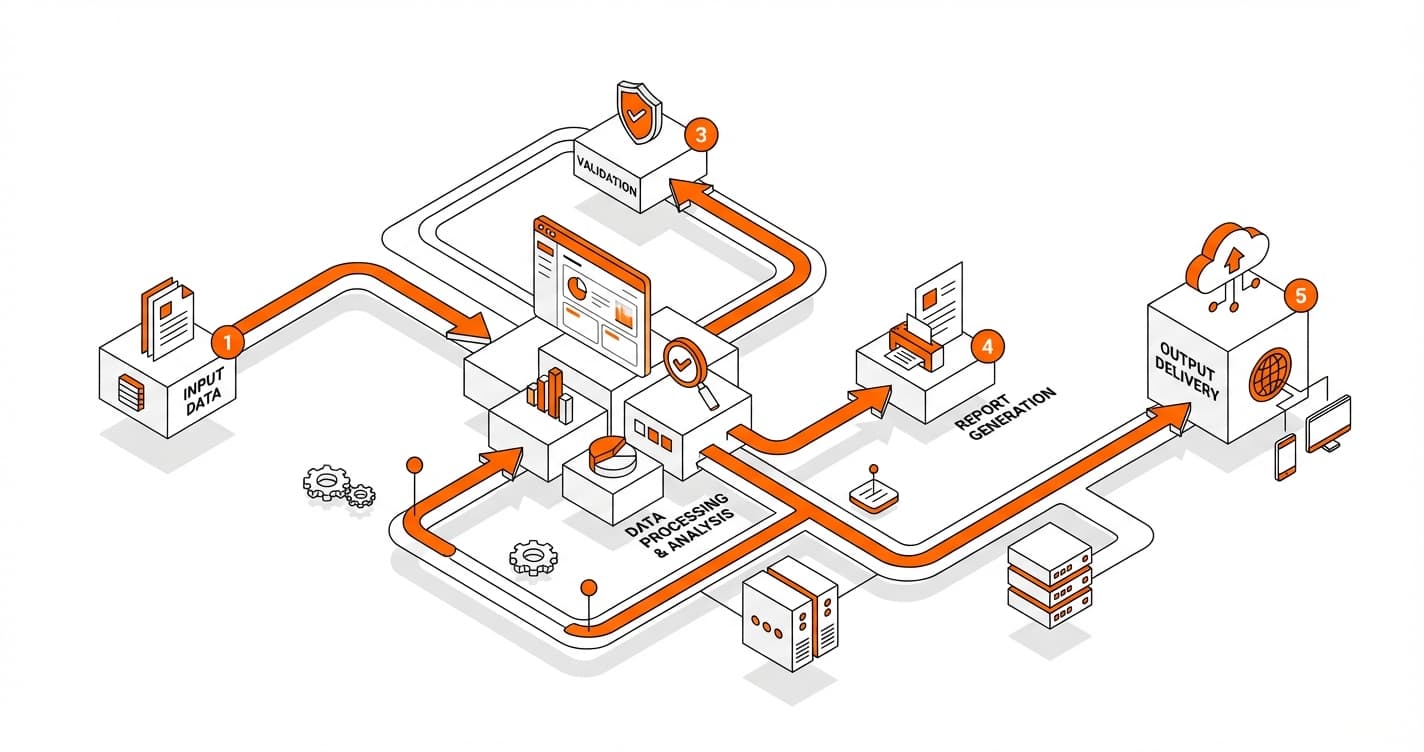
An n8n workflow is built on a simple logic: a trigger → actions → a result. Each workflow is made up of « nodes, » which represent specific steps in the automation process.
1. The Trigger: The Starting Point of the Workflow
Every workflow in n8n starts with a trigger. This is what activates the automation.
A trigger can be:
- Receiving an email
- Submitting a form
- A new contact in a CRM
- An HTTP request (Webhook)
- A scheduled trigger (e.g., every day at 8 a.m.)
For example, if you want to automate sending an email after a sign-up on your website, the trigger will be the form submission.
Without a trigger, the workflow doesn’t start. It’s the first fundamental building block.
2. Action Nodes: The Core of the Automation
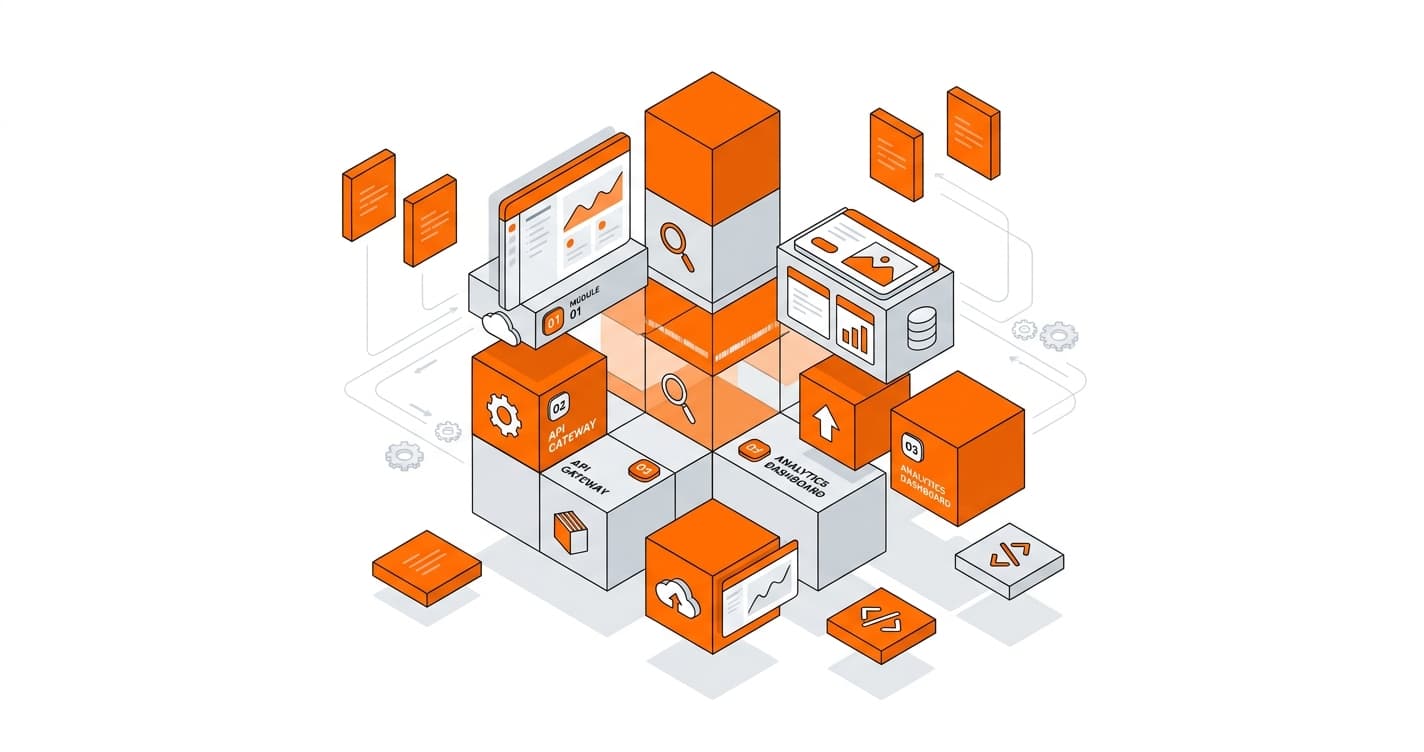
Once the trigger is activated, the workflow executes a series of actions. These actions are represented by nodes connected to one another.
Each node can:
- Retrieve data
- Transform information
- Send a request to an API
- Update a database
- Send a Slack message
- Add a contact to a marketing tool
For example:
Trigger: new lead received
Node 1: check whether the email already exists
Node 2: add the contact to the CRM
Node 3: send an automated email
Node 4: notify the team on Slack
Each node receives data as input, processes it, and then passes the result to the next node.
3. Data Management in an n8n Workflow
A key element of how a workflow in n8n functions is data management. Information flows between nodes in the form of JSON objects.
n8n allows you to:
- Map fields dynamically
- Use expressions
- Apply filters
- Manipulate variables
This means you can build advanced automations without writing complex code, while maintaining precise control over your data.
4. Conditions and Advanced Logic
An n8n workflow isn’t limited to a simple linear chain of actions. It can incorporate conditions (IF / Switch).
For example:
If an order amount exceeds $500 → notify the sales team
Otherwise → send a standard automated email
This conditional logic makes it possible to build sophisticated automation scenarios.
5. Execution and Monitoring
Once the workflow is configured, you can:
- Test it in manual mode
- Activate it in production
- Track executions
- Analyze errors
n8n keeps an execution history, which allows you to quickly identify any issues that arise.
6. A Concrete n8n Workflow Example
Let’s look at a practical use case:
Goal: automate prospect management.
Trigger: form filled out on your website
Action 1: enrich data via an API
Action 2: save the prospect in your CRM
Action 3: send a welcome email
Action 4: create a task for your team
With just a few visually connected nodes, you get a fully automated system.
What Are the Concrete Use Cases for an n8n Workflow in Business?
Implementing an n8n workflow in a business goes far beyond technological convenience. It’s a genuine lever for productivity, process optimization, and operational cost reduction. With n8n, companies can automate repetitive tasks, connect their tools, and structure their data flows without multiplying complex developments.
Here are the most concrete and strategic use cases for an n8n workflow in business.
One of the most widespread uses involves lead management and marketing automation. When a prospect fills out a form on a website, a workflow can automatically:
Add the contact to a CRM
Segment the prospect based on their answers
Send a personalized email
Notify the sales team on Slack
Create a follow-up task
This type of automation reduces response time and increases the conversion rate.
Another common use case is data synchronization between tools. Many companies use multiple platforms (CRM, ERP, email tool, invoicing, internal database). An n8n workflow can automatically synchronize information between these systems to avoid duplicate entries and human errors.
For example, when an order is confirmed:
Customer data is updated in the CRM
An invoice is generated automatically
A confirmation email is sent
A reporting dashboard is refreshed
This ensures real-time data consistency.
Customer support is also an ideal area for automation. A workflow can:
Analyze incoming tickets
Automatically categorize requests
Assign tickets to the right team
Send automated responses for simple requests
This improves responsiveness while reducing manual workload.
In the HR domain, n8n workflows make it possible to automate the onboarding of new employees. As soon as a contract is signed:
An email account is created
Tool access credentials are generated
A file is opened in the HR system
An onboarding checklist is sent
This standardized process prevents oversights and speeds up integration.
Finance teams also use n8n to automate accounting management and reporting. For example:
Automatic retrieval of payments
Update of a tracking dashboard
Alert in case of an unpaid invoice
Generation of weekly reports
This reduces repetitive tasks and secures financial monitoring.
Another strategic use case is competitive intelligence and monitoring. A workflow can track:
Competitor price changes
Brand mentions on the web
New publications on specific websites
SEO or technical alerts
The collected information can be automatically sent to the relevant team.
For e-commerce businesses, n8n enables automation of:
Inventory management
Abandoned cart follow-ups
Product catalog updates
Customer review integration
These automations have a direct impact on revenue.
In the IT domain, workflows can be used to:
Monitor servers
Receive alerts in case of an error
Automatically create incident tickets
Execute corrective scripts
This improves system responsiveness and security.
Finally, one of n8n’s major strengths lies in its ability to handle advanced conditional logic. Companies can create personalized scenarios:
If a VIP customer places an order → alert a manager
If a prospect exceeds a given score → trigger a specific campaign
If a payment fails → send an automatic follow-up
These intelligent automations make it possible to adapt actions based on data.
What Are the Concrete Use Cases for an n8n Workflow in Business?
Implementing an n8n workflow in a business goes far beyond technological convenience. It’s a genuine lever for productivity, process optimization, and operational cost reduction. With n8n, companies can automate repetitive tasks, connect their tools, and structure their data flows without multiplying complex developments.
Here are the most concrete and strategic use cases for an n8n workflow in business.
One of the most widespread uses involves lead management and marketing automation. When a prospect fills out a form on a website, a workflow can automatically:
Add the contact to a CRM
Segment the prospect based on their answers
Send a personalized email
Notify the sales team on Slack
Create a follow-up task
This type of automation reduces response time and increases the conversion rate.
Another common use case is data synchronization between tools. Many companies use multiple platforms (CRM, ERP, email tool, invoicing, internal database). An n8n workflow can automatically synchronize information between these systems to avoid duplicate entries and human errors.
For example, when an order is confirmed:
Customer data is updated in the CRM
An invoice is generated automatically
A confirmation email is sent
A reporting dashboard is refreshed
This ensures real-time data consistency.
Customer support is also an ideal area for automation. A workflow can:
Analyze incoming tickets
Automatically categorize requests
Assign tickets to the right team
Send automated responses for simple requests
This improves responsiveness while reducing manual workload.
In the HR domain, n8n workflows make it possible to automate the onboarding of new employees. As soon as a contract is signed:
An email account is created
Tool access credentials are generated
A file is opened in the HR system
An onboarding checklist is sent
This standardized process prevents oversights and speeds up integration.
Finance teams also use n8n to automate accounting management and reporting. For example:
Automatic retrieval of payments
Update of a tracking dashboard
Alert in case of an unpaid invoice
Generation of weekly reports
This reduces repetitive tasks and secures financial monitoring.
Another strategic use case is competitive intelligence and monitoring. A workflow can track:
Competitor price changes
Brand mentions on the web
New publications on specific websites
SEO or technical alerts
The collected information can be automatically sent to the relevant team.
For e-commerce businesses, n8n enables automation of:
Inventory management
Abandoned cart follow-ups
Product catalog updates
Customer review integration
These automations have a direct impact on revenue.
In the IT domain, workflows can be used to:
Monitor servers
Receive alerts in case of an error
Automatically create incident tickets
Execute corrective scripts
This improves system responsiveness and security.
Finally, one of n8n’s major strengths lies in its ability to handle advanced conditional logic. Companies can create personalized scenarios:
If a VIP customer places an order → alert a manager
If a prospect exceeds a given score → trigger a specific campaign
If a payment fails → send an automatic follow-up
These intelligent automations make it possible to adapt actions based on data.
Why Is n8n a Powerful Alternative to Zapier in 2026?
In 2026, the no-code and low-code automation market is more competitive than ever. Among the best-known solutions, Zapier has established itself as a pioneer. Yet more and more businesses and developers are turning to n8n. So, why is n8n a powerful alternative to Zapier in 2026?
The answer comes down to several strategic points: flexibility, cost, data control, and technical power.
The first major advantage of n8n is its open-source model. Unlike Zapier, which operates exclusively as a SaaS, n8n can be self-hosted. This means companies can install the solution on their own servers. In terms of security and data sovereignty, this is a decisive argument — particularly for European companies or sensitive sectors (finance, healthcare, B2B SaaS).
The second key point is the pricing structure. Zapier charges primarily based on the number of tasks executed. The more your automation runs, the higher the costs. For companies with high volumes, the bill can quickly become significant.
n8n, on the other hand, adopts a model based on the number of workflows or hosting, which often makes it more cost-effective at scale. With self-hosting, the cost depends essentially on your infrastructure, not on execution volume.
The third strategic advantage is advanced workflow flexibility. Zapier is very effective for simple automations (trigger → action). But as soon as the logic becomes complex, its limitations become apparent.
n8n allows:
Multiple conditions (IF / Switch)
Loops
Advanced JSON data manipulation
Dynamic expressions
Custom JavaScript code integration
This makes it a hybrid tool between no-code and low-code, particularly well-suited to technical teams.
Another major difference is data management and flow control. In n8n, each node clearly displays incoming and outgoing data. This provides complete visibility into how information is processed, making it easier to debug and optimize workflows.
Zapier prioritizes simplicity, but with less technical transparency.
In 2026, businesses are looking for solutions capable of handling complex business processes, not just basic automations. n8n meets this requirement perfectly.
Another strategic point is the community and open-source ecosystem. n8n benefits from an active community that develops custom nodes and shares workflows. This dynamic accelerates innovation and allows the solution to be adapted to specific use cases.
Zapier remains powerful in terms of native integrations, but n8n is quickly closing the gap thanks to its customizable node system and APIs.
The question of scalability is also central. For a growing startup or a SaaS company, the volume of automations can explode. With Zapier, this means a proportional increase in costs. With self-hosted n8n, growth is more manageable.
Finally, in 2026, the trend is toward centralizing internal workflows. Companies want a tool capable of connecting CRM, ERP, marketing, finance, and customer support within a coherent architecture. n8n acts as a true internal orchestrator, capable of connecting complex systems.
This doesn’t mean Zapier is obsolete. It remains ideal for:
Small businesses
Freelancers
Simple automations
Completely non-technical users
But for organizations looking for:
More control
Less SaaS dependency
Advanced logic
Better cost management
n8n becomes a strategic alternative.
In summary, n8n is a powerful alternative to Zapier in 2026 because it combines technical flexibility, budget control, open source, and scalability. It’s no longer just about automating tasks — it’s about intelligently structuring the company’s digital architecture.
What is an n8n workflow?
An n8n workflow is a series of automated actions triggered by a specific event. It allows you to connect different tools — such as a CRM, email software, a database, or an API — in order to automate tasks without human intervention. A workflow typically consists of a trigger followed by a series of nodes that execute successive actions.
Is n8n free?
Yes, n8n offers a free open-source version that you can self-host on your own server. There is also a paid cloud version for companies that prefer a turnkey solution without technical management.
Do you need to know how to code to use n8n?
No, n8n is designed as a no-code and low-code tool. You can create automations through a visual interface by connecting blocks together. However, for more advanced workflows, it is possible to add JavaScript or perform JSON data manipulation.
What is the difference between n8n and Zapier?
The main difference is that n8n is open source and can be self-hosted, whereas Zapier operates exclusively in SaaS mode. n8n offers greater flexibility, particularly for complex conditional logic, loops, and advanced data manipulation. Zapier remains simpler for quick, basic automations.
Can n8n be connected to any application?
Yes, thanks to APIs and webhooks. Even if an application doesn’t have a native integration in n8n, you can use custom HTTP requests to connect it. This makes n8n extremely flexible across a wide range of technical environments.
What are the most common use cases for an n8n workflow?
n8n workflows are commonly used to automate lead management, synchronize data between multiple tools, send automated emails, manage support tickets, generate reports, or orchestrate complex internal processes.
Can you build complex workflows with n8n?
Yes, n8n allows you to incorporate conditions, multiple logic branches, loops, dynamic expressions, and even custom code. This makes it possible to build advanced automation scenarios tailored to business needs.
Is n8n secure?
Yes, especially if you choose self-hosting. You retain full control over your data and can configure access, network security, and permissions according to your internal standards.
Is n8n suitable for large enterprises?
Yes, n8n is particularly well-suited to companies with complex business processes. Its flexibility, scalability, and open architecture make it a relevant solution for startups, SMBs, and larger organizations alike.
Why use an n8n workflow in 2026?
Because automation has become a strategic lever. An n8n workflow saves time, reduces human errors, optimizes internal processes, and effectively connects your entire digital ecosystem.